

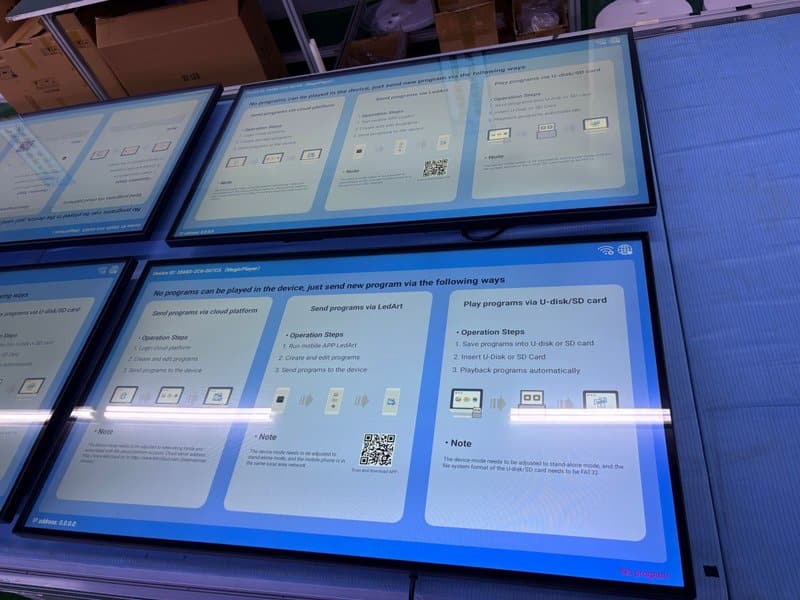

Deploying a professional Intelligent Meeting Room Equipment Care provides modern collaborative spaces with an advanced digital presentation hub. With the advancement of enterprise technology, conference system equipment has been widely implemented across corporate boardrooms, training centers, remote collaboration spaces, and commercial business venues. These systems enhance meeting productivity and provide seamless communication for day-to-day operations. To maintain stable system operation and minimize the disruptive impact of equipment downtime on business meetings, establishing standardized maintenance and care procedures is paramount.
A complete conference room ecosystem typically incorporates display panels, audiovisual hardware, central control systems, and interconnect cabling. Beyond routine inspections, organizations must establish robust technical support workflows, troubleshooting protocols, and documentation management standards.
Intelligent Meeting Room Equipment Care: 1. Establish Long-Term Technical Support Mechanisms
Maintenance of conference systems extends far beyond surface dusting and periodic check-ups; it requires continuous, systematic technical support. Establishing clear service protocols and designating qualified technical personnel ensures that any equipment anomalies are promptly investigated and resolved.
For issues involving display anomalies, audiovisual connections, software configurations, or hardware faults, create tiered response procedures tailored to the failure type. If internal IT teams encounter complex technical bottlenecks, promptly engage equipment manufacturers or professional service providers for specialized technical guidance.
2. Implement a Rapid-Response Troubleshooting Workflow
When conference hardware malfunctions, delays in remediation directly disrupt meeting schedules and normal office operations. Enterprises should implement a well-defined workflow encompassing issue reporting, problem classification, resolution tracking, and post-repair verification.
Upon receiving a fault report, technical staff should first identify the device model, specific failure symptoms, occurrence timestamp, and relevant system statuses to pinpoint which subsystem is affected.
Basic connectivity or operating issues can be resolved quickly according to user manuals. Complex hardware failures, intricate network configurations, or central control integration bugs should be assigned to qualified technicians for in-depth diagnosis. Standardized incident handling shortens mean-time-to-repair (MTTR) and prevents recurring failures.
3. Combine Remote Diagnostics with On-Site Technical Support
Conference system incidents can be triaged efficiently through a combination of remote guidance and on-site intervention based on severity.
Remote technical assistance helps operators verify basic cable connections, check device settings, interpret error codes, and execute standard diagnostic steps. For issues that do not require hardware disassembly or component replacement, remote support often isolates and resolves the fault quickly.
If an issue cannot be resolved remotely—or requires physical inspection of internal hardware, trunk cabling, or integrated room control wiring—on-site technical support should be dispatched promptly. Following remediation, technicians must rigorously validate visual display, audio pickup, speaker output, video streaming, and control functions to ensure the entire conference ecosystem has returned to normal operation.
4. Compile and Maintain Comprehensive System Documentation
Complete technical documentation forms the cornerstone of effective, long-term conference system maintenance. During system installation, commissioning, and handover, organizations should systematically compile and archive essential technical assets, including:
System Schematics & Wiring Diagrams: Documenting physical device placement, primary signal routing, network topology, and interface pinouts.
Equipment Asset Registry: Recording hardware names, model numbers, serial numbers, quantities, and deployment dates.
Operation & Maintenance Manuals: Preserving user guides, preventative maintenance protocols, and standard troubleshooting guides.
System Configuration Profiles: Securely documenting IP addresses, VLAN parameters, control codes, firmware versions, and configuration changes in accordance with security policies.
Service & Repair Logs: Documenting fault symptoms, root-cause analyses, replacement parts, corrective actions, and sign-off confirmations.
These assets enable technicians to understand room architecture rapidly, eliminating redundant diagnostic efforts. Records containing system credentials, passwords, or sensitive network parameters must be managed under corporate cybersecurity guidelines to prevent unauthorized access.
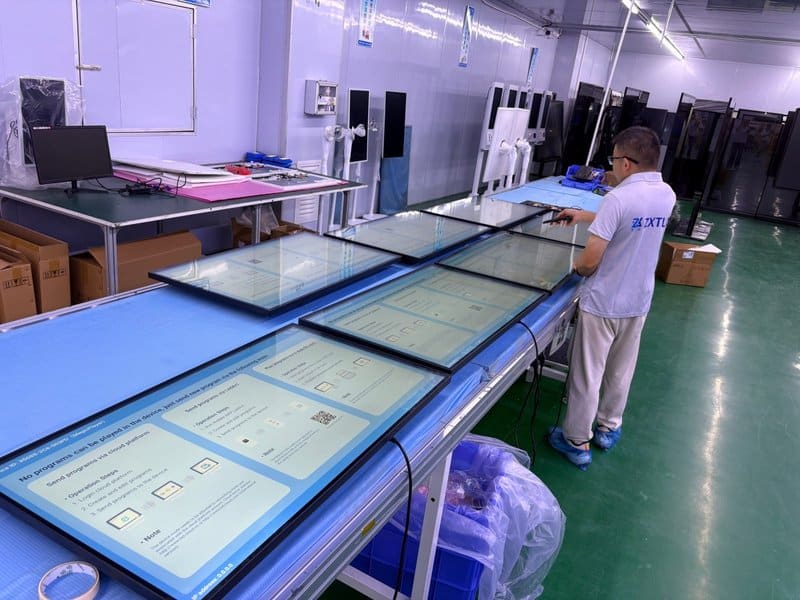
5. Maintain Continuously Updated Service and Maintenance Logs
For conference ecosystems comprising numerous devices and complex integrations, relying solely on initial commissioning documentation is insufficient; ongoing records of every inspection, preventative maintenance task, and component repair must be diligently kept.
Maintenance logs should capture inspection dates, operational statuses, identified anomalies, root causes, corrective actions taken, and post-service verification results. When systems undergo firmware updates, DSP audio tuning, parameter adjustments, or hardware swaps, documentation should be updated immediately.
Analyzing historical maintenance records reveals chronic hardware issues, helping facility managers decide when to adjust preventative maintenance schedules, replace aging modules, or upgrade system infrastructure. When adopting new technologies or testing novel servicing methods, document their scope and effectiveness to serve as a benchmark for future room deployments.
6. Formulate Periodic Preventive Maintenance Schedules
Preventive maintenance is just as vital as reactive troubleshooting. Organizations should formulate periodic inspection schedules tailored to equipment usage frequency, room environmental conditions, and manufacturer recommendations.
During daily operations, monitor device exteriors, display clarity, patch cable integrity, audio pickup clarity, and system responsiveness. During periodic scheduled check-ups, verify that connector jacks are secure, cooling vents and fan grilles are free of dust, and software applications run stably.
For commercial displays and interactive flat panels, clean glass surfaces gently using ultra-soft, lint-free microfiber cloths approved for optical coatings, following product guidelines. Always disconnect power prior to cleaning, and prevent liquids from entering perimeter bezels, ventilation slots, or I/O ports. Tasks involving chassis disassembly, high-voltage electrical testing, or internal fan cleaning must be performed strictly by qualified technical personnel.
Maintenance frequency should not follow a rigid, one-size-fits-all rule; it should be determined dynamically based on equipment type, operational workload, and ambient environment, adjusted over time using service log insights.
Conclusion
Effective maintenance and care of conference room systems require an integrated approach uniting daily inspections, dependable technical support, responsive troubleshooting, complete documentation, and disciplined service logging. Establishing standardized maintenance mechanisms not only uncovers latent issues before critical meetings but also mitigates downtime risks, ensuring the long-term reliability and high performance of enterprise collaboration assets.
ZXTLCD specializes in commercial displays and professional display solutions. For enterprise conference rooms and commercial office spaces, thoughtful equipment selection, standardized installation, and sustained maintenance management are all vital pillars in maintaining dependable, high-efficiency system operations. In summary, choosing a reliable Intelligent Meeting Room Equipment Care solution enhances team engagement, streamlines video conferencing, and elevates overall meeting productivity.
Looking for customized Intelligent Meeting Room Equipment Care hardware, interactive flat panels (IFPD), or OEM/ODM smart board solutions? Feel free to contact the ZXTLCD engineering team for free consultations, product specifications, and tailored volume pricing.