

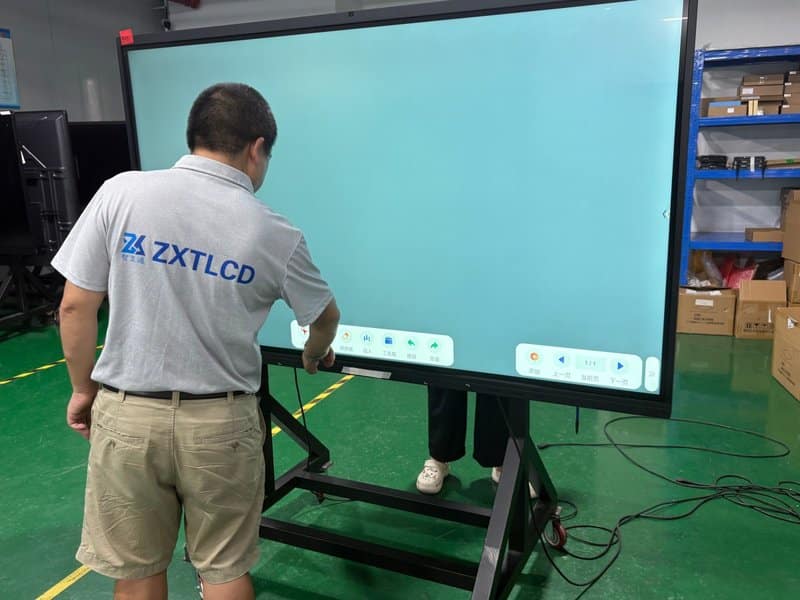

Deploying a professional Commercial Interactive Flat Panel ROI provides modern collaborative spaces with an advanced digital presentation hub. As corporate collaboration paradigms continue to evolve, the interactive conference all-in-one panel (interactive flat panel display / IFPD) has transcended its initial role as a mere replacement for traditional projectors. Today, it has established itself as an indispensable platform for visual presentation, collaborative brainstorming, remote hybrid meetings, and dynamic information sharing.
A conventional meeting room typically requires a patchwork of standalone hardware: display monitors or projectors, manual whiteboards, desktop PCs, and external audiovisual peripherals. Presenters must constantly switch between disparate devices, and presentation assets or meeting notes often end up fragmented across disconnected tools. By consolidating large-format commercial display, responsive touch annotation, and wireless screen sharing into a unified chassis, conference all-in-one panels streamline operational workflows and provide a centralized interactive hub for daily business meetings.
However, whether an enterprise genuinely needs to deploy conference all-in-one panels depends on meeting frequency, operational use cases, existing infrastructure, and budget constraints. Understanding their core advantages and selection criteria enables organizations to formulate a well-tailored meeting room upgrade strategy.
Commercial Interactive Flat Panel ROI: 1. Core Advantages of Conference All-in-One Panels
Multi-Functional Integration Streamlines Hardware Deployments
Traditional conference rooms often require separate procurement and configuration of monitors, dry-erase whiteboards, dedicated PC towers, and external screen-casting dongles. A conference all-in-one panel integrates large-screen visual display, multi-touch interaction, and smart digital whiteboard capabilities into a single enclosure. Advanced models further incorporate integrated video conferencing, wireless screen casting, and cloud file sharing.
By eliminating tedious switching between peripheral equipment, attendees can seamlessly display slides, annotate critical takeaways, and debate proposals. For compact huddle rooms or enterprises seeking to simplify IT asset management, this consolidated architecture offers significant operational value.
Notably, feature configurations vary across hardware tiers. When evaluating products, organizations must verify whether built-in cameras, microphone arrays, front-facing speakers, specific operating systems, and video conferencing software licenses are included as standard specifications or optional add-ons.
Touch Writing and Real-Time Annotation Accelerate Collaboration
During project kickoffs, operational reviews, and technical assessments, presenters frequently need to highlight critical data points, modify proposals, or add contextual notes. Traditional projection displays only support passive visual output, requiring auxiliary whiteboards or separate software windows for note-taking.
Equipped with high-precision touch digitizers, conference all-in-one panels allow presenters to write, draw, and annotate directly on digital whiteboards or active office documents. Brainstorming notes are presented visually in real time, enabling the entire team to align closely around the same working document.
Select displays support instant export of handwritten notes, vectorized annotation saving, and simultaneous multi-point touch interaction. Because real-world writing latency and tactile responsiveness depend on underlying touch technologies (e.g., infrared or capacitive), UI optimization, and software ecosystem compatibility, hardware should be evaluated against your team’s everyday office toolsets.
Wireless Screen Casting Simplifies Multi-Device Content Sharing
Presentation decks often reside on diverse employee laptops, tablets, or smartphones. Forcing presenters to copy files via USB drives or hunt for appropriate video adapters before every presentation introduces unnecessary friction and delays.
Conference all-in-one panels equipped with wireless casting capabilities allow mobile devices and laptops to mirror screens to the central display via native wireless casting protocols or specialized sender apps. Most units also provide physical HDMI, USB, and full-function USB Type-C ports to accommodate legacy or wired connections.
Organizations should assess casting protocol compatibility, connection stability, and real-world latency. For internal corporate deployments, network authorization protocols and enterprise data security policies must also be audited to ensure business assets are transmitted safely across authorized access tiers.
Native Remote Video Conferencing Empowers Distributed Hybrid Teams
For distributed teams, branch offices, and cross-regional project teams, meetings demand not only pristine visual presentations but also crystal-clear, reliable audiovisual communications.
Many conference all-in-one panels natively run certified video conferencing platforms while seamlessly integrating cameras, beamforming microphone arrays, and wide-band loudspeakers. Participants can present complex collateral while simultaneously conducting high-definition video calls, eliminating awkward operational toggling between display monitors and conferencing hardware.
For medium-to-large boardrooms or open collaboration areas, decision-makers must evaluate microphone pickup radiuses, acoustic speaker coverage, camera field of view, and enterprise network throughput. Manufacturer-advertised pickup ranges should always be validated within real-world room acoustics rather than accepted as abstract specifications.
2. When Is It Truly Necessary to Deploy a Conference All-in-One Panel?
Conference all-in-one panels are not a one-size-fits-all solution for every environment. Determining whether a deployment is justified begins with analyzing the bottlenecks of current equipment alongside daily collaboration patterns.
Routine Corporate Meeting Rooms
If your meeting rooms frequently host dynamic presentation reviews, real-time strategy edits, interactive brainstorming sessions, or rapid screen sharing across diverse employee laptops, an all-in-one panel consolidates these workflows into one intuitive touch platform, eliminating setup delays and equipment confusion.
Conversely, if existing displays meet daily requirements, meeting frequencies are low, and teams rarely utilize touch interaction or collaborative markups, maintaining existing setups avoids unnecessary capital expenditures.
Remote Video Conferencing and Multi-Site Collaboration
For organizations running frequent multi-branch meetings and hybrid collaborations, priority should be given to audiovisual fidelity, network bandwidth, collaboration software compatibility, and real-time document co-authoring. If an interactive flat panel supports your enterprise meeting software while meeting room acoustic and visual criteria, it serves as an exceptional anchor for modern hybrid collaboration.
Corporate Training, Education, and Professional Seminars
In structured employee training, academic lectures, and technical seminars, large-format visual clarity paired with live stylus annotation helps instructors dissect complex schematics, demonstrate workflows, and emphasize critical concepts. Conference panels flexibly handle both didactic instruction and interactive workshops.
In clinical or healthcare training environments, technical teams must also audit system compatibility, medical data access privileges, and regulatory data compliance. When interfacing with specialized enterprise software, verify that operating systems, network topologies, and display hardware align with clinical standards prior to rollout.
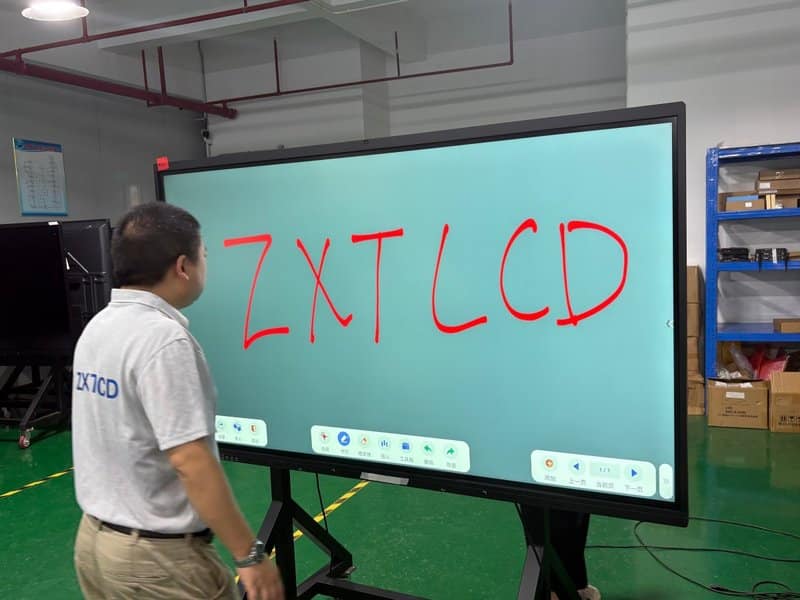
3. Three Critical Steps for Selecting the Right Conference All-in-One Panel
Step 1: Evaluate Product Quality and Manufacturer Capabilities
When choosing commercial display hardware, do not rely solely on brand marketing or generic spec sheets. Scrutinize hardware configuration transparency, manufacturing quality control, custom engineering capabilities, and after-sales service networks.
Original equipment manufacturers (OEMs/ODMs) with proprietary manufacturing facilities generally provide superior flexibility when tailoring panel specifications, I/O ports, mounting systems, or custom firmware to niche operational demands. However, factory tier alone does not guarantee product excellence; evaluate comprehensive technical documentation, third-party certifications, production QA procedures, and service scope.
If your deployment demands custom chassis dimensions, specialized I/O configurations, or proprietary software pre-installation, confirm engineering feasibility, delivery schedules, and technical SLAs upfront.
Step 2: Match Core Technical Specifications to Room Realities
Hardware specifications must align precisely with room dimensions, viewing distances, and team collaboration styles:
– **Visual Display Performance:** Evaluate screen diagonal size, native resolution, peak brightness, and viewing distance to ensure comfortable readability for fine text, spreadsheets, and video streams. While 4K UHD delivers exceptional sharpness, its impact should be evaluated relative to panel size and viewing distance.
– **Touch Responsiveness:** Scrutinize touch latency, stylus fluidity, supported touch points, and built-in annotation features to ensure smooth multi-user collaboration during brainstorming sessions.
– **Wireless Screen Sharing:** Confirm client OS compatibility (Windows, macOS, iOS, Android), transmission protocols, connection workflows, and enterprise Wi-Fi requirements. For latency-sensitive workflows, benchmark casting performance on-site.
– **Audiovisual Capabilities:** Evaluate microphone pickup coverage, speaker wattage/clarity, and camera optics (resolution, FOV, auto-framing) against room capacity and seating arrangements.
– **OS and Software Ecosystem:** Verify operating system options (Android, Windows OPS, or dual-OS architecture), compatibility with office productivity suites, and certifications for primary video conferencing clients.
Performance benchmarks like casting latency and microphone pickup ranges should not be judged purely on theoretical ratings. Because testing environments, network conditions, and room acoustics differ, empirical on-site testing delivers the most reliable verdict.
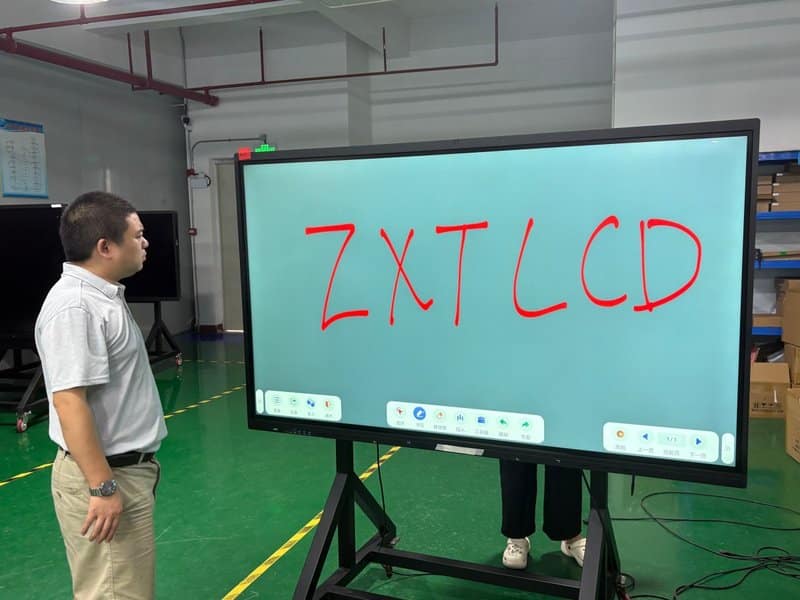
Step 3: Verify Mounting, AV Integration, and Maintenance Support
Meeting room deployments often involve more than just mounting a standalone display. If the project interfaces with room automation controllers, external sound reinforcement systems, lecture capture appliances, or third-party AV switchers, inspect interface bandwidths, protocol compatibility, physical cable pathways, and integration schematics well in advance.
For straightforward upgrades, leverage existing electrical drops, structured cabling, and network points to confirm seamless interoperability with legacy infrastructure. For complex AV integration projects, clearly delineate hardware boundaries and signal routing requirements prior to physical installation.
Simultaneously, establish clear service agreements covering warranty periods, RMA workflows, spare parts availability, and technical support response times. Transparent SLAs minimize operational uncertainty and prevent unexpected hardware downtime from paralyzing mission-critical business meetings.
4. Best Practices for Operation and Preventative Maintenance
Cultivating sound operational habits ensures equipment longevity and prevents avoidable service calls:
1. **Clean the Display Panel Properly:** Before cleaning, power down the system or engage screen-lock modes in accordance with user manuals. Use ultra-soft, lint-free microfiber cloths designed for optical glass. Never use abrasive materials that could scratch anti-glare coatings, and never spray cleaning solutions directly into perimeter bezel gaps or chassis ventilation slots.
2. **Ensure Unobstructed Airflow and Climate Control:** Maintain adequate ventilation clearance during wall-mounting or cart positioning to avoid blocking cooling vents. If the panel exhibits thermal throttling or excessive heat buildup, investigate cooling fans and airflow paths immediately.
3. **Conduct Pre-Meeting Audiovisual Checks:** Prior to important client presentations or remote board meetings, verify active video input channels, network connectivity, camera framing, and audio levels to prevent embarrassing delays once attendees arrive.
4. **Enforce Information Security and Credential Hygiene:** When exporting whiteboard sessions or sharing proprietary collateral, adhere strictly to corporate data governance policies. Log out of corporate cloud accounts, purge temporary local files, and terminate wireless screen sharing sessions when meetings conclude to protect sensitive business intelligence.
5. **Follow Standardized Operating System Maintenance:** Execute OS updates, configuration changes, and system reboots in strict accordance with manufacturer documentation. Avoid unnecessary warm-up routines that are irrelevant to modern LED/LCD panels, and never attempt unauthorized chassis disassembly without certified technical support.
5. Conclusion: Let Authentic Business Needs Drive Your Upgrade
The fundamental value of a conference all-in-one panel lies in uniting ultra-high-definition display, fluid touch writing, effortless content sharing, and integrated video collaboration into a cohesive, user-friendly workspace.
For organizations that rely heavily on interactive project reviews, executive strategy briefings, digital training sessions, and remote hybrid meetings, investing in a conference all-in-one panel is a compelling upgrade. Conversely, for rooms with straightforward presentation needs where existing hardware performs reliably, keeping current systems in service may remain the pragmatic choice.
ZXTLCD provides a comprehensive portfolio of commercial displays and smart conference hardware solutions. When selecting hardware, enterprises should balance operational scenarios, display specifications, interface compatibility, physical mounting constraints, and lifecycle support rather than chasing inflated spec sheets. Aligning equipment capabilities with authentic business workflows delivers an elevated meeting experience while keeping capital investments and maintenance overhead strictly under control. In summary, choosing a reliable Commercial Interactive Flat Panel ROI solution enhances team engagement, streamlines video conferencing, and elevates overall meeting productivity.
Looking for customized Commercial Interactive Flat Panel ROI hardware, interactive flat panels (IFPD), or OEM/ODM smart board solutions? Feel free to contact the ZXTLCD engineering team for free consultations, product specifications, and tailored volume pricing.