

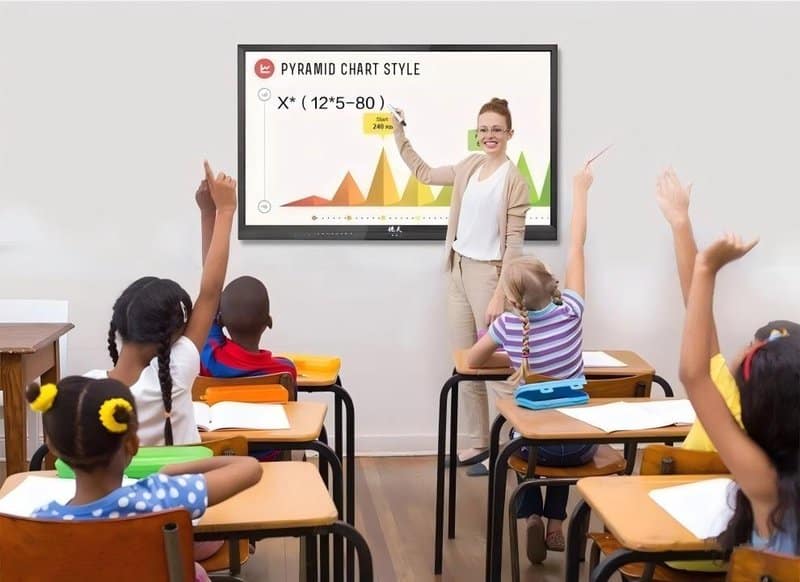

Deploying a professional Huddle Room Interactive Display Selection provides modern collaborative spaces with an advanced digital presentation hub. When selecting an all-in-one conference machine (interactive flat panel display), bigger screens and more features do not automatically equate to a superior user experience. For small and medium meeting rooms, sound equipment selection demands a balanced evaluation of attendee count, viewing distance, touch interaction requirements, video conferencing frequency, and total cost of ownership.
Focusing solely on screen size or hardware price often results in wasted space in compact rooms, unreadable presentations from back rows in mid-sized spaces, or feature sets misaligned with actual collaboration workflows. Therefore, before finalizing hardware specifications, organizations must first define how their meeting spaces operate, and then choose an appropriate commercial display and collaborative solution.
1. Selecting Screen Size Based on Room Capacity and Viewing Distance with a Huddle Room Interactive Display Selection
The screen dimensions of an all-in-one conference display directly dictate the readability of typography, data charts, and presentation graphics. Sizing should never be determined solely by room headcount; it must factor in conference table layouts, screen mounting heights, maximum viewing distances, and standard content types.
Small Meeting Rooms: Balancing Clarity with Spatial Efficiency
Small meeting rooms (huddle rooms) typically host departmental check-ins, routine standups, and compact project sprints, where participants sit relatively close to the display.
For such spaces, 55-inch to 65-inch displays provide an ideal baseline for initial evaluation, with final dimensions tailored to room area, viewing distance, and presented content. If meetings regularly involve dense spreadsheets, detailed architectural drawings, or documents requiring simultaneous multi-person review, verify whether screen size and pixel resolution adequately prevent visual fatigue.
An oversized screen in a tight room increases capital costs and causes visual discomfort for near-field viewers; an undersized screen compromises the legibility of fine text and detailed figures. Equipment selection must be anchored in real-world viewing comfort rather than a blind pursuit of larger screen real estate.
Medium Meeting Rooms: Prioritizing Visibility for Back-Row Attendees
Medium meeting rooms feature larger floor plans where participants sit further away from the front wall. Beyond headcount, evaluate conference table length, seating geometry, and potential sightline obstructions caused by lighting fixtures or room architecture.
For rooms with longer viewing distances, 75-inch to 86-inch displays represent a sound candidate range, evaluated against spatial layouts. Where presentations feature fine print, complex financial models, or engineering schematics, consider resolution, visual sharpness, and scaling behavior concurrently.
If back-row participants struggle to decipher text, high screen resolution alone will not satisfy practical operational demands. Where feasible, simulate actual seating distances and inspect visual clarity across different viewing angles before approving procurement.
2. Deciding on Touch Capabilities Based on Meeting Formats
Interactive touch functionality is a core differentiator between conference all-in-one machines and conventional commercial displays. However, whether high-specification touch is necessary depends entirely on dominant meeting formats.
Presentation-Centric Meetings
If meetings primarily consist of reviewing slide decks, examining business metrics, watching product videos, or listening to executive reports, touch interactivity is used infrequently. In these scenarios, prioritize display image quality, laptop connectivity, file compatibility, and ease of use before allocating budget toward high-tier touch sensors.
Discussion- and Collaboration-Centric Meetings
When sessions regularly feature live digital whiteboarding, rapid proposal markups, workflow sketching, and interactive group participation, touch capability delivers immense practical value. Presenters can mark up notes directly on the digital whiteboard or annotate active files, eliminating disruptive handoffs across disjointed tools.
When evaluating touch displays, assess touch response latency, writing smoothness, multi-touch capacity, gesture erasing, and whiteboard application features. While select displays advertise 20 or more simultaneous touch points, collaborative efficiency is governed by screen size, software toolkits, and ergonomic workflows rather than raw point counts alone.
To gauge touch requirements, audit how frequently teams perform live on-screen writing and interactive collaboration each week. Higher usage frequency justifies making touch responsiveness a pivotal selection metric.
3. Configuring Cameras and Audio Systems Based on Remote Conferencing Frequency
As hybrid collaboration becomes standard practice, conference all-in-one displays must deliver not only crystal-clear visuals but also pristine two-way audiovisual communication between on-site and remote teams.
Small Meeting Rooms: Ensuring Full-Room Coverage and Crisp Audio Pickup
Small meeting spaces can easily capture all participants using wide-angle cameras designed for near-field environments. When selecting hardware, verify camera field of view (FOV), mounting position, and image distortion controls to ensure every seated participant remains clearly in frame.
For audio, select integrated or external microphone arrays suited to room dimensions, seating layout, and ambient acoustic noise. In compact spaces, thoughtful equipment placement and directional pickup are far more crucial than inflated theoretical pickup distance claims.
Medium Meeting Rooms: Focusing on Extended Pickup Reach and Complete Visual Framing
Medium conference rooms feature wider seating spreads, requiring rigorous scrutiny of camera optics and microphone coverage radii. For frequent remote project reviews, regional coordination meetings, and online corporate training, confirm that cameras capture key presenters and that microphones clearly pick up voices across peripheral seating areas.
Advanced systems feature auto-framing, voice-tracking speaker tracking, and AI acoustic noise cancellation, significantly upgrading the remote conference experience. However, actual acoustic and optical performance remains subject to hardware quality, background noise levels, room reverberation, and UC software integration.
Avoid relying solely on marketing datasheets. Where possible, conduct on-site tests within the actual conference room to verify camera framing, multi-seat voice pickup, and far-end listening clarity before finalizing hardware configurations.
4. Comprehensively Comparing Upfront Investment and Total Cost of Ownership
The total cost of an all-in-one conference machine extends beyond the initial hardware purchase price. Organizations must factor in structural mounting, commissioning, software licensing, routine maintenance, and future expansion.
When drafting procurement plans, review the following key dimensions:
Equipment Costs: Compare screen diagonal sizes, display panel specifications, touch technologies, and AV configurations to ensure budget aligns with practical needs.
Installation Costs: Verify wall load-bearing capacities, mounting bracket specifications, power outlet positions, network infrastructure, and cable routing pathways to prevent costly on-site structural modifications.
Commissioning & Training: Estimate the time and resources required for peripheral interconnects, conferencing software configurations, and employee user onboarding.
System Compatibility: Validate compatibility with existing corporate laptops, operating systems, UC conferencing software, and external peripherals to minimize secondary integration hurdles.
Maintenance & Support: Clarify manufacturer warranty terms, on-site service policies, spare parts availability, and technical support SLAs to facilitate long-term asset management.
For organizations deploying displays across multiple conference rooms, evaluate the advantages of standardized hardware configurations. Harmonizing I/O interfaces, operating workflows, and maintenance protocols simplifies enterprise fleet management; however, if specific rooms serve vastly different functions, rigid standardization should yield to operational necessity.
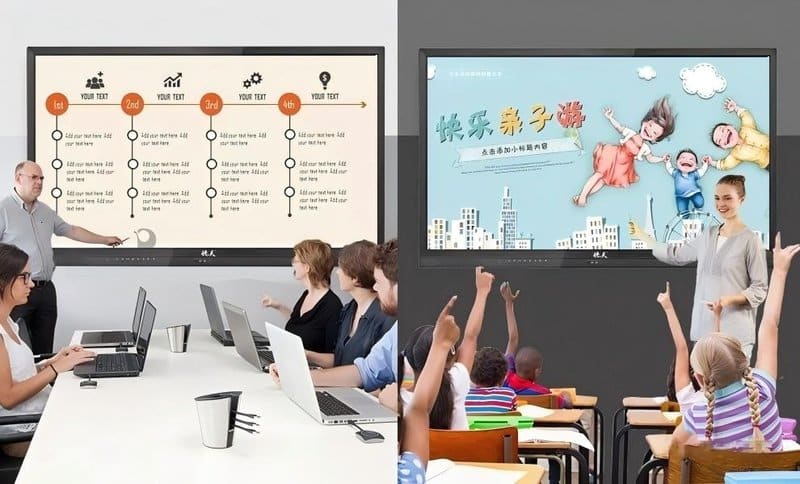
5. Prioritizing Features Across Different Budget Tiers
When working under budget constraints, prioritize features that directly impact everyday meeting productivity rather than spreading resources thin or pursuing exhaustive feature lists.
For presentation-focused small meeting rooms, allocate budget first toward appropriate screen dimensions, high-contrast display clarity, and frictionless laptop connectivity. If interactive discussions are frequent, layer on digital whiteboarding and touch writing capabilities.
For medium meeting rooms hosting frequent video conferences, direct investment toward back-row visual clarity, optical camera framing, microphone pickup fidelity, and high-quality speaker output. If these audiovisual fundamentals fall short, sophisticated secondary software features will fail to rescue the meeting experience.
For versatile multi-purpose spaces balancing executive meetings, employee workshops, and collaborative sprints, verify operating system stability, software compatibility, cloud file sharing, and external device expandability to ensure the terminal adapts to diverse operational demands.
6. Practical Pre-Procurement Checklist
Before purchasing an all-in-one conference display, execute the following structured assessment:
– Measure exact room dimensions, proposed display mounting locations, and maximum viewing distances.
– Audit typical meeting headcounts and identify dominant content types (text, spreadsheets, slides, video).
– Determine whether interactive handwriting, digital whiteboarding, and multi-user touch are high-frequency requirements.
– Gauge the frequency of remote video conferencing and specify optical camera and microphone coverage thresholds.
– Verify existing electrical outlets, network drops, video cables, wall structures, and standard office software suites.
– Comprehensively evaluate equipment procurement, installation, commissioning, maintenance, and expansion costs.
Following these evaluation steps aligns hardware specifications with real business needs, preventing wasted investment from inappropriate screen sizing, neglected features, or compatibility pitfalls.
Conclusion
Small and medium meeting rooms possess distinct spatial layouts, viewing distances, and collaboration workflows; therefore, interactive display selection should never follow a one-size-fits-all formula. Small meeting rooms must balance space efficiency with near-field viewing comfort, while medium rooms require rigorous focus on back-row visibility, broad audio coverage, and dependable remote conferencing capabilities.
ZXTLCD provides commercial display and conference collaboration products and comprehensive solutions. By holistically evaluating screen sizes, touch requirements, AV configurations, system compatibility, and total cost of ownership, enterprises can configure conference room hardware rationally—fulfilling everyday collaboration needs while avoiding unnecessary capital expenditure. In summary, choosing a reliable Huddle Room Interactive Display Selection solution enhances team engagement, streamlines video conferencing, and elevates overall meeting productivity.
Looking for customized Huddle Room Interactive Display Selection hardware, interactive flat panels (IFPD), or OEM/ODM smart board solutions? Feel free to contact the ZXTLCD engineering team for free consultations, product specifications, and tailored volume pricing.