

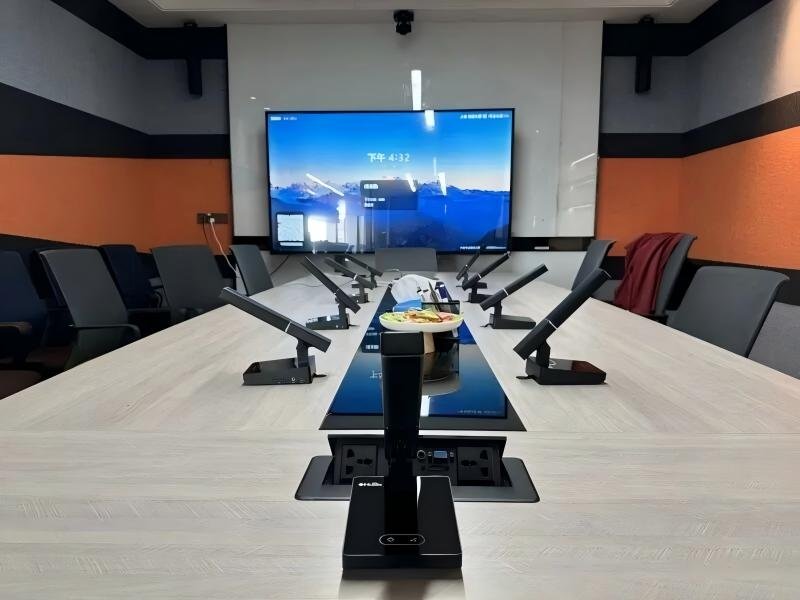

Deploying a professional Audiovisual Conference System Daily Maintenance provides modern collaborative spaces with an advanced digital presentation hub. Maintaining the reliable operation of audiovisual conferencing systems is vital for sustaining corporate teamwork, remote communication, and everyday office productivity. Disciplined routine maintenance not only prolongs equipment operating lifecycles, but also eliminates sudden hardware breakdowns, ensuring business meetings proceed without disruption.
A complete audiovisual conferencing ecosystem typically integrates conference displays, optical cameras, microphone arrays, acoustic speakers, digital sound processors (DSP), interconnecting cabling, and network routing equipment. Because individual subsystems carry distinct functions and maintenance requirements, enterprises should formulate tailored maintenance protocols reflecting their specific hardware architecture. The following guidelines detail critical routine maintenance procedures and best-practice recommendations.
1. Equipment Cleaning and Physical Upkeep with a Audiovisual Conference System Daily Maintenance
Routine Surface Cleaning: Use soft, dry, lint-free microfiber cloths to gently wipe display screens, microphone housings, camera bodies, and other exposed chassis surfaces. When cleaning optical display panels, strictly adhere to manufacturer user manuals—avoiding unapproved chemical solvents or direct liquid spraying.
Internal Dust Removal: Periodically inspect cooling vents, fan grilles, and thermal exhaust ports, clearing away external lint and dust buildup. Internal chassis cleaning should follow manufacturer service protocols; tasks requiring chassis disassembly, exposure to electrical boards, or internal fan servicing should be performed exclusively by qualified technical personnel to avoid damaging sensitive electronic components.
Interface & Cable Audits: Inspect power cords, HDMI cables, USB patch cords, balanced audio lines, and Ethernet cables for secure seating, physical wear, sharp creases, or loose connector jacks. When damaged cords or loose jacks are detected, replace them immediately with certified cables to eliminate signal dropouts and intermittent contact noise.
2. System Performance Monitoring and Optimization
Software and Firmware Updates: Regularly audit official software patches and firmware releases for all conference equipment. Before applying updates, verify version compatibility, review changelogs, and back up active configuration profiles and meeting records. For critical production conference systems, schedule update windows outside business hours to prevent operational downtime.
Acoustic and Visual Parameter Tuning: Fine-tune audio and video settings based on real-world room acoustics and lighting conditions—including microphone gain levels, master volume thresholds, acoustic echo cancellation (AEC), screen resolution, and video encoding bitrates. Adjust parameters incrementally and validate changes through live listening and viewing tests to prevent audio clipping, acoustic feedback howling, video blurring, or processor overloading.
Network Health Monitoring: For conference systems reliant on LAN and WAN connections for remote video streaming and remote device management, periodically inspect network throughput, available bandwidth, latency, and packet loss rates. If video freezing, audio dropouts, or connection disconnects occur, evaluate network quality and device configurations concurrently to isolate the underlying cause.
3. Scheduled Inspections and Preventative Maintenance
Formulate Inspection Schedules: Establish structured maintenance cycles tailored to equipment categories, utilization frequency, and room environments. Daily checks should verify basic power, indicator status, and display clarity; monthly inspections should audit physical cabling, audiovisual clarity, and central control responsiveness; comprehensive system audits should be conducted quarterly or as required.
Maintain Maintenance Service Logs: Diligently record inspection timestamps, device operating conditions, identified anomalies, corrective actions taken, and sign-off results. When identical hardware exhibits recurring faults, maintenance logs provide invaluable empirical data for root-cause tracking, component replacement, and system architecture upgrades.
Simulated Meeting Readiness Testing: Conduct dry-run test calls during off-hours, testing display rendering, camera pan-tilt-zoom (PTZ) tracking, microphone pickup reach, speaker sound reinforcement, remote video connection, and control system automation. For multi-device ecosystems, verify that all integrated subsystems communicate harmoniously.
4. Establishing a Rapid Emergency Response Protocol
Define Technical Support Roles & Responsibilities: Designate dedicated personnel responsible for meeting facility maintenance, establishing clear workflows for incident reporting, initial triage, and emergency dispatch. For complex system faults, engage professional technical support promptly to avoid improper handling by untrained staff.
Maintain Essential On-Site Spare Parts: Stock an on-site inventory of mission-critical spare parts—including high-speed HDMI cables, USB patch cords, balanced audio cables, wireless microphone batteries, and replacement power adapters. For flagship executive boardrooms, prepare contingency hardware bypasses to restore meeting services rapidly during critical emergencies.
Conduct User Operation Training: Provide routine operational training for employees and meeting organizers, covering standard startup/shutdown procedures, laptop presentation docking, screen-casting steps, and basic troubleshooting checks. Training end-users reduces operator errors and enables staff to articulate fault symptoms clearly when requesting IT assistance.
5. Strengthening Physical and Cybersecurity Defenses
Physical Equipment Security: Position conference equipment securely, ensuring neat cable dressing, adequate thermal ventilation clearance, and minimal exposure to unauthorized tampering. For AV equipment racks and central control cabinets, install keyed locks or access-controlled security doors as appropriate.
Account & Network Cybersecurity: Enforce strong, complex passwords for administrative accounts and audit access privileges periodically. Deploy verified security patches promptly, configure router firewalls and subnet access control lists (ACLs), and restrict remote access to authorized management networks.
Critical Data & Profile Backups: Regularly back up meeting recordings, system configuration profiles, DSP tuning files, and central control logic code. Archive backup images in secure secondary storage, validating restore procedures periodically. When managing remote meetings and shared cloud files, strictly enforce corporate data governance and role-based access controls.
Actionable Routine Inspection Checklist
Enterprises can implement the following tiered maintenance schedule based on room utilization:
– Weekly: Inspect chassis surface cleanliness, ensure cooling grilles are unblocked, verify LED status indicators, and test core presentation functions.
– Monthly: Audit physical connections for power, HDMI, USB, and audio cabling; test visual display clarity, microphone pickup, loudspeaker output, and control system macros; review open trouble tickets.
– Quarterly / As-Needed: Execute comprehensive system diagnostics, auditing overall hardware health, network bandwidth metrics, pending firmware patches, and recurring issues.
– Periodic Operational Training: Host refresher sessions following personnel onboarding, system upgrades, or security policy revisions, ensuring staff operate equipment correctly.
These intervals serve as practical guidelines; customize maintenance schedules according to manufacturer documentation, environmental dust levels, and operational intensity. Deep internal cleaning and advanced electrical servicing must always adhere to manufacturer specifications.
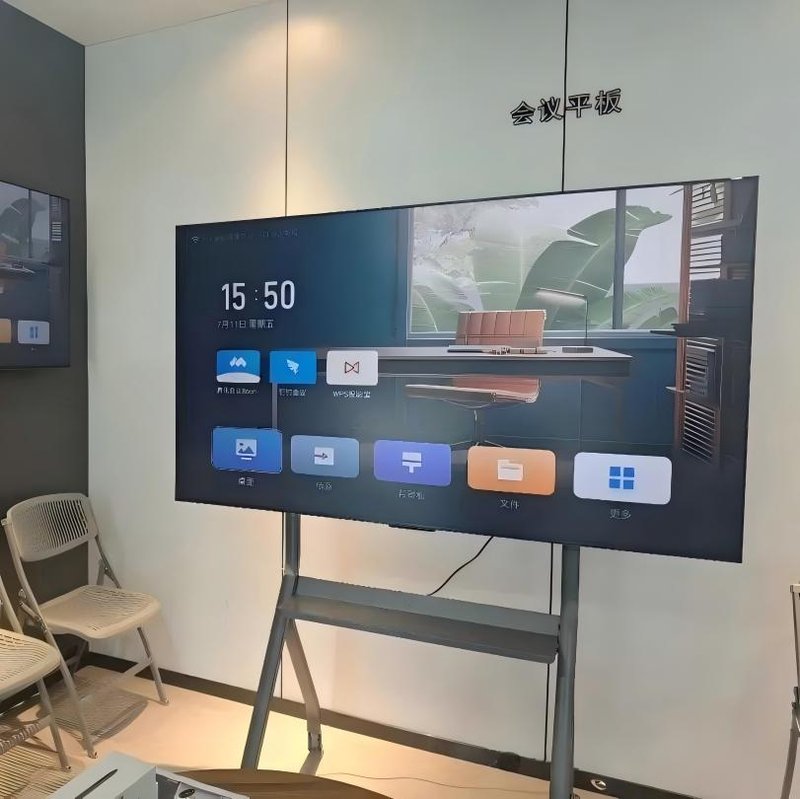
Pre-Meeting Readiness Sign-Off Checklist
– Confirm displays, microphones, cameras, and auxiliary hardware have been cleaned per guidelines.
– Audit pending software and firmware updates, confirming stability and version compatibility.
– Validate that network bandwidth and connection stability meet video conferencing criteria.
– Confirm all documented equipment anomalies have been fully resolved and verified.
– Ensure critical meeting assets, configuration profiles, and system settings are backed up.
– Verify meeting organizers understand equipment workflows, issue escalation channels, and emergency protocols.
Conclusion
The dependable operation of audiovisual conferencing systems demands a holistic approach integrating routine cleaning, performance monitoring, preventative maintenance, emergency preparedness, and robust security management. By instituting transparent maintenance workflows and diligently tracking hardware performance, enterprises can uncover latent issues early, eliminate disruptive meeting downtime, and maximize the long-term return on collaboration technology investments.
ZXTLCD delivers commercial display and conference collaboration products and turnkey integration solutions. Enterprises can select display hardware matched to room dimensions, visual requirements, and system integration environments, coupling robust technology with disciplined maintenance frameworks to provide dependable support for daily business meetings, executive deliberations, and remote teamwork. In summary, choosing a reliable Audiovisual Conference System Daily Maintenance solution enhances team engagement, streamlines video conferencing, and elevates overall meeting productivity.
Looking for customized Audiovisual Conference System Daily Maintenance hardware, interactive flat panels (IFPD), or OEM/ODM smart board solutions? Feel free to contact the ZXTLCD engineering team for free consultations, product specifications, and tailored volume pricing.