



描述
Before the Meeting: Prepare a Room that Is Ready to Work
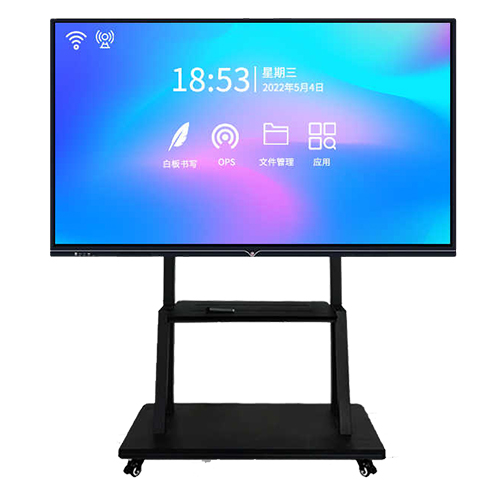
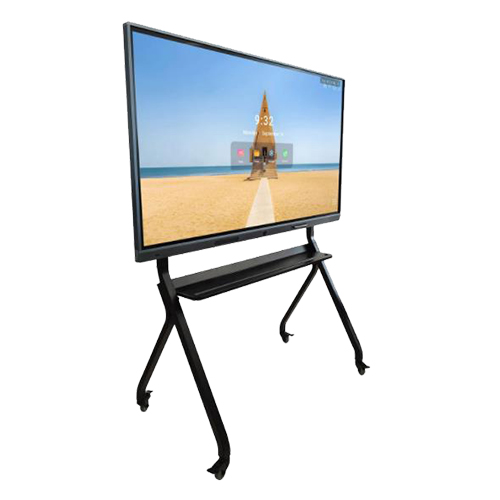
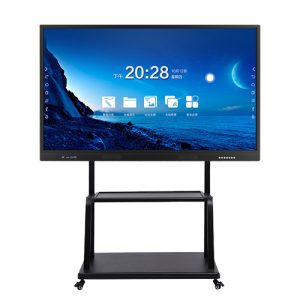
Meeting delays often begin before the discussion starts. Different presenters arrive with different devices, content formats and expectations, while the room contains separate display and writing tools. An 86 inch interactive display creates one shared destination for presentation and on-screen collaboration, helping teams begin with a clearer working environment.
The large screen provides room for project plans, reports, creative material and training content. Participants can view the same source rather than relying on individual copies. When the equipment is configured around the organization’s normal workflow, the room becomes easier to use consistently across departments.
During the Meeting: Work Directly on the 86 Inch Interactive Display
Ideas move quickly in a productive meeting. If comments remain verbal, important details can be interpreted differently after the session. Touch interaction allows participants to mark the relevant content while it is being discussed. A timeline can be adjusted, a drawing can be reviewed and a proposal can be annotated without shifting attention to another surface.
The 86 inch interactive display provides enough area for a group to follow both the main content and the developing notes. This is valuable for operational reviews, product planning, architectural discussion and training sessions where several related points need to remain visible.
Keep alternatives in context
Teams can place options side by side and explain the trade-offs directly on screen. Instead of circulating several versions after the meeting, participants can establish a common understanding while the decision makers are present. The display becomes part of the decision process rather than simply showing the opening presentation.
After the Meeting: Preserve a Clearer Record of Decisions
A meeting creates value when decisions continue into action. Digital notes and annotated material can support a clearer handover to the people responsible for the next stage, depending on the chosen software workflow. The visual relationship between a decision and the source content is easier to preserve than with notes written separately from the presentation.
Training sessions benefit in a similar way. Instructors can combine prepared material with live explanation, while participants leave with a clearer understanding of how the key conclusions were developed.
One Format for Meetings, Workshops and Training
Corporate rooms are rarely dedicated to one task. The same area may host management meetings, customer demonstrations, onboarding sessions and technical workshops. A large touch display allows the room to change roles without requiring a different front-of-room system for every activity.
This versatility is useful for facilities teams that must justify room investment across several departments. A common interactive surface can serve scheduled collaboration throughout the week instead of remaining tied to one specialist activity.
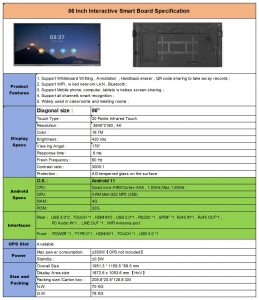
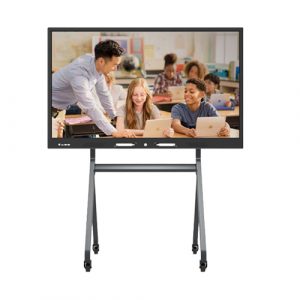
For education environments, the format can also support teacher presentation and student interaction. However, resolution and system configuration must follow the confirmed specification for this individual product. The existing page contains conflicting 4K and 1080P references, so the final published specification should be checked before those details are added to sales copy.
Coordinate the Technology with the Project
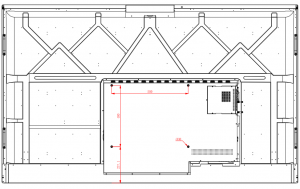
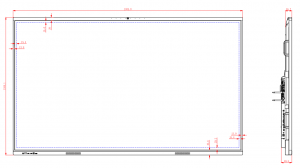
ZXTLCD supports buyers in confirming system choices, required connections, appearance and installation considerations. Integrators can evaluate a sample with the intended meeting software and room equipment, giving the project team evidence for approval before batch purchasing.
This stage is also the right time to confirm branding and user-interface requirements. A carefully approved sample becomes the reference for production and site acceptance.
Scale a Familiar Workflow across the Organization
When several meeting rooms use the same configuration, employees spend less time adapting to different equipment. IT teams gain a clearer baseline for support, while procurement teams can plan phased deployment with better continuity.
ZXTLCD records approved project requirements and coordinates production consistency for repeat orders. The 86 inch interactive display therefore supports not only a single meeting room, but a repeatable collaboration standard for offices, training centers and institutional projects.
评价
目前还没有评价